

No matter how good your agent is at browser automation, if it needs to catch a verification code from your email, your task stops right there.
Or maybe that’s something from the past.
Grok Bot is a desktop AI assistant where every bot (agent) you create gets its own computer in the cloud, its own memory, and access to whatever apps you decide to connect, like your calendar, Slack, Notion, Gmail or GitHub.
It can also run routines, which are jobs that are triggered on a schedule (”every weekday at 9 am”) or whenever something happens (”when a new message lands in this channel”).
I use both Grok Bot and the Hermes Agent on a daily basis. The latter for custom applications, coding, and access through Telegram and Slack. While Grok Bot I use for research, accounting, summarizing information and a lot of browser interactions.
And I may start using it even more with the new updates that were dropped in the last days:
Bots now have their own email address.
Bots can search, read and monitor X natively, without paying for X developer access.
You can tag @bot under a post on X, and the task lands in your Grok Bot.
The hand-off to cloud coding agents has matured.
The new primary bot makes it practical to run a team of specialists with one chief bot in charge.
In this article, I’ll walk you through each one, while showing what people are already doing with them and how to set them up.
An email inbox for Grok Bot
Giving an AI agent access to your personal email is something that everybody does, but it’s probably the last thing you should do security wise.
Because the agent can read everything in there, catch your codes, send messages in your behalf, and much more. Meaning that you’re easily exposed to malicious prompt injection.
Fortunately Grok Bot now lets your bot claim its own address on the mail.grokbot.com domain. Anything sent there goes to the bot, and it replies from that address under its own name instead of yours.
Here’s what people are already using it for:
Sign-ups and verification codes: If the bot creates an account on a new tool, the confirmation email goes in its own inbox and it can finish the signup by itself. You no longer need to manually go to your email and approve the authentication.
Forwarded mail: You can forward emails to your Grok Bot email like newsletters, receipts and invoices, so you get control on what lands in that agent’s domain.
Email threads: You CC the bot, leave an instruction at the bottom like “confirm Thursday at 3pm and send the onboarding doc”, and it replies while you’re out.
Hand-offs: Other agents can send it tasks by email, and it emails you back the results.
Creating a domain is pretty easy. You may need to update the desktop app, then ask your bot “Is [name]@mail.grokbot.com available?”, and if it is, you tell it to claim it and approve the card that pops up.
I already got mine!
🎉 marcorodrigues@mail.grokbot.com 🎉
Unfortunately marco was already taken, which is a good reminder that you need to be fast!
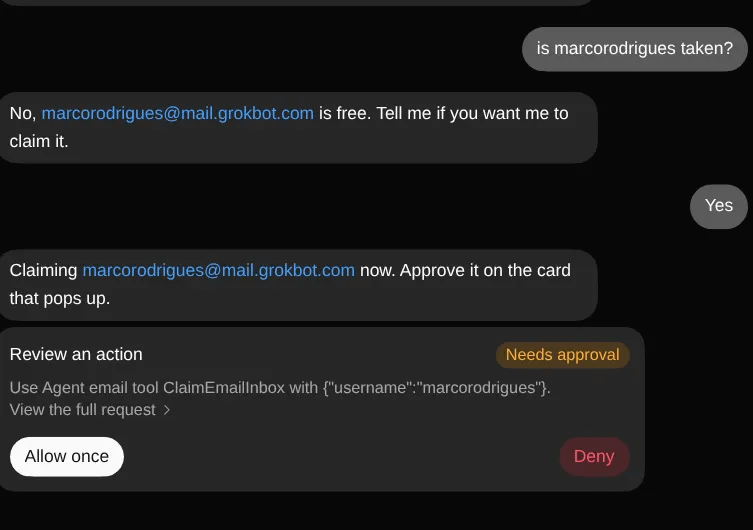
Make sure that you pick the right handler, because you only get one address per account, all your bots share it, and the claim is permanent.
Some early users were smarter than me and set up a routine before the feature was even released, by asking the bot to check every morning and grab a name from a short list the moment inboxes went live.
⚠️ Note: On team plans, an admin needs to enable inboxes before anyone can claim one.
Now that your bot has its own mailbox, let’s see what else Grok Bot introduced.
Search on X without paying for it
Until now, if you wanted an AI agent to read X at scale, you had to pay for X’s developer access (the API), where every search costs you credits, I personally spent a lot with this API!
It charges half a cent for every post it reads. It doesn’t sound like much, but if you do a few hundred per day, that’s a lot by the end of the month.
But things have changed.
Now Grok Bot can search, read and monitor public posts on X natively. There’s no API key or prepaid credits to manage.
Here are some tips of what you can do with it:
Brand mention tracking: Every morning, the bot finds the last 24 hours of mentions of your brand, your handle or your name, and labels each one as praise, complaint, question or neutral. You can send this information to a Slack channel so the team can make decisions based on that.
Listening for buyers: Every few hours, the bot looks for reviews and complaints about competitors, for people asking “what’s the best tool for this?”, and for anyone complaining about the exact problem you solve.
Filtered industry brief: You get a morning digest of posts that are hot in a specific industry, so you can join conversations while they’re still alive.
These are just a few examples, I personally use it to find people that are struggling with manual tasks, paid software and need AI agents to improve their business.
If you are one of those people, feel free to schedule a 20-min consultation with me.
In the case the X connection is not seamless for you, try to add the connector and authenticate with your account.
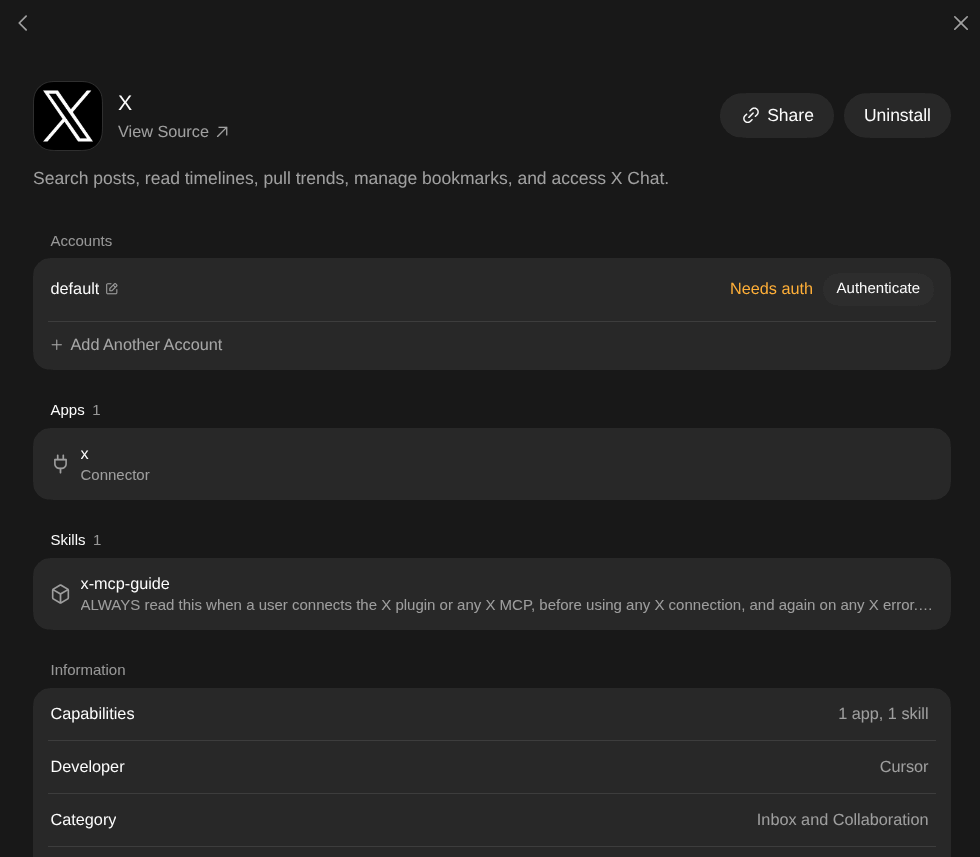
It will not deduct credits from your X developer account, but it is not free in an absolute sense. It uses your Grok Bot usage.
Reading X from Grok Bot is useful, but you can also send work to your bot from X itself.
Tag @bot under X posts
I don’t know about you, but I often struggle to find the information I save in my X bookmarks. Even with folders is not ideal, I’ve been wishing for a search engine that works well at retrieving that information.
So far no luck, but I may no longer need it anyways, now with Grok Bot.
Now when you see a post you’d like your bot to act on, you reply to it (or quote it) and tag @bot with an instruction. The task goes straight to your Grok Bot.
So, goodbye “bookmarks”!
These are some of the things you can use it for:
Read later: Under a good thread, you can write “remind me to read this tomorrow”, and the thread becomes actual useful and not lost in your bookmarks.
Save to a knowledge base: You tag the bot under a useful guide and ask it to file it in a specific place.
Read replies: You tag the bot under your own post and ask it to read the replies.
However, tagging is not available everywhere at the time of writing. Users report that it’s switched off for accounts based in the EU, the UK and Australia. Some account types don’t work yet either.
People whose Grok Bot access comes through a Cursor subscription report getting no response at all. Yeah that’s me and I was not able to use yet indeed.
So far we’ve talked about reading, filing and summarizing. In the next section, let’s see what happens when you ask the bot to actually build something.
Code and build software with Grok Bot
Grok Bot can take a software task, plan it, and hand the coding to cloud agents from Cursor. Think of a cloud agent as a separate AI developer with its own computer. It copies your code, makes the change on a separate branch and opens a pull request. When it’s done, your bot gets the information and tells you what changed.
To get it working:
Have a Cursor subscription. The Grok Bot connection is there by default, so you can just say “spin up a cloud agent to do X”.
Connect GitHub, so the bot can see your code and your pull requests.
Set up the project in Cursor and check the cloud agent settings (default models, automated code review).
Write your approval rules before anything runs.
However the usage seems to run out fast with this. The common fix is to keep the bot as the orchestrator, writing short briefs and handling approvals, and to push the heavy work to cloud agents, which bill to your Cursor usage instead of your Grok Bot weekly allowance.
A chief was added to your team of bots
Grok Bot recently released the primary bot.
The bot you choose as primary gets a star icon and instructions to be more proactive, looking across your projects and tasks for things it can help with before you ask.
In other words, a chief of staff for your other bots.
I run something similar with my Hermes Agent profiles, so I was curious to see how Grok Bot handles it.
Here’s how people are setting it up:
Pick your chief and make it your primary bot (you can even ask the bot to do it).
Give each specialist one clear job, with no overlaps.
Give them a shared place to save their work, like a Notion database per bot, so nothing lives only inside a chat.
Keep everything outbound as a draft that you approve through the chief.
Ask the chief for a schedule that saves on usage, and approve it before anything changes.
I still don’t have a very strong use case for this primary bot personally, but on Hermes I mostly use mine to build things for the other agents when they are already strongly sandboxed.
Some people say that with a primary bot coordinating the team, a full week of jobs used a lot less of their allowance than before. Others say it made the product feel several times better than managing everything by hand.
Bonus: Bots run on Claude Opus 5.5
Elon Musk posted that going forward, SpaceX will use the best back-end model for any given task, including Claude Opus 5.5, Midjourney, Suno and other leading APIs.
But don’t expect a dropdown to select models in the app, Grok decides which model handles each task.
In any case, if the routing is done correctly, we can expect better results from Grok Bot.
That is specially needed for writing, planning and summarizing. Overall I find Grok Bot a great product for retrieving information, but when I need to write a SoW (Statement of Work) or draft emails, I simply can’t rely on Grok 4.7 for that and I usually hand off the information to my Hermes agents, which is not ideal.
Conclusion
In this article, we went through the five newest Grok Bot applications:
A bot with its own inbox.
Native X search and monitoring.
Tag @bot under a post.
Code through cloud agents.
Team of specialists run by one chief bot.
I showed some of the use cases of these new features, but many more will be popping up soon. And now we have an easy way to pull data information, just search X through Grok Bot.
Grok bot is slowly becoming an ecosystem more than only a harness that spawns agents, but some of these features were already available before.
For instance you could already create an email for an agent using AgentEmail, searching and posting on X with the API, and having a CoS in the Hermes Agent harness.
Besides, for now, your Grok Bot agents can only live in Grok Bot, you can’t yet chat with them on Telegram, WhatsApp, Slack and so on. They are also tied to a subscription, and specific AI models.
For freedom, we must still rely in open-source harnesses like the Hermes Agent and OpenClaw. For ease, well Grok Bot, Muse and Dots definitely win.
Grok Bot is easy, it’s cool, it’s powerful and with the new X integration, I believe things will change a lot in this platform (for the better I hope) in the coming weeks!